For iPhone and Android
Add a loved one to a photo
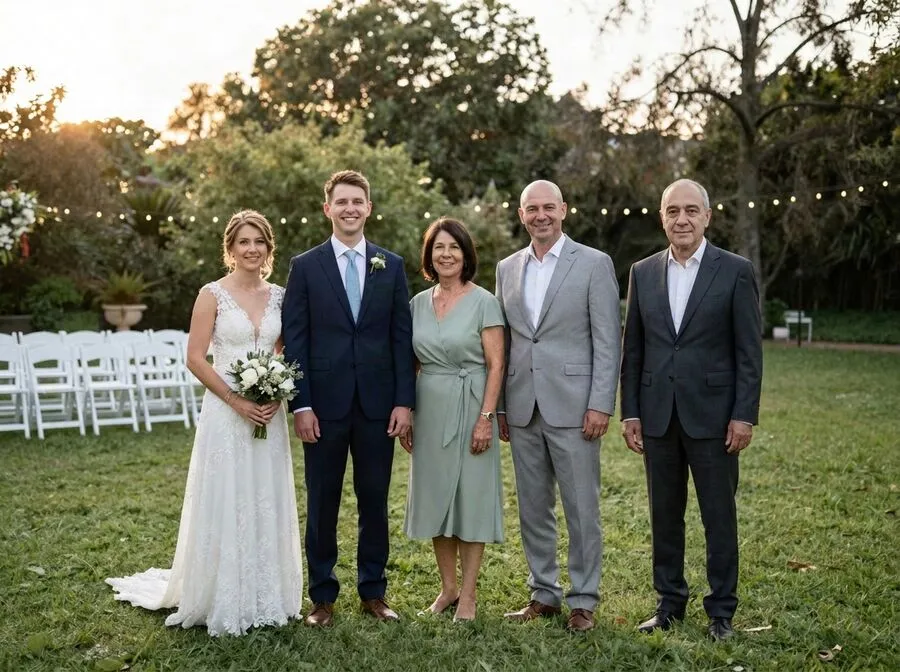
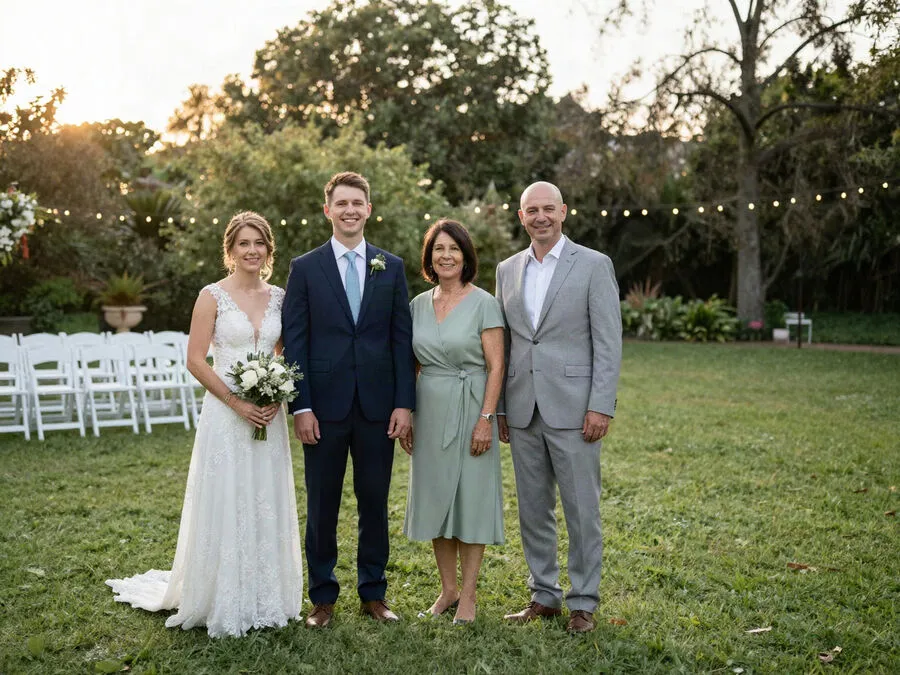
Reunily gently places someone you miss into a photo that matters, like a wedding, a graduation or this year’s family picture. It matches the light, the scale and the grain, so it looks like one moment.

- No subscription needed
- Failed portraits refunded
- Never used to train AI

How it works
Three steps, a few minutes
No editing skills, no layers, no prompts to write.
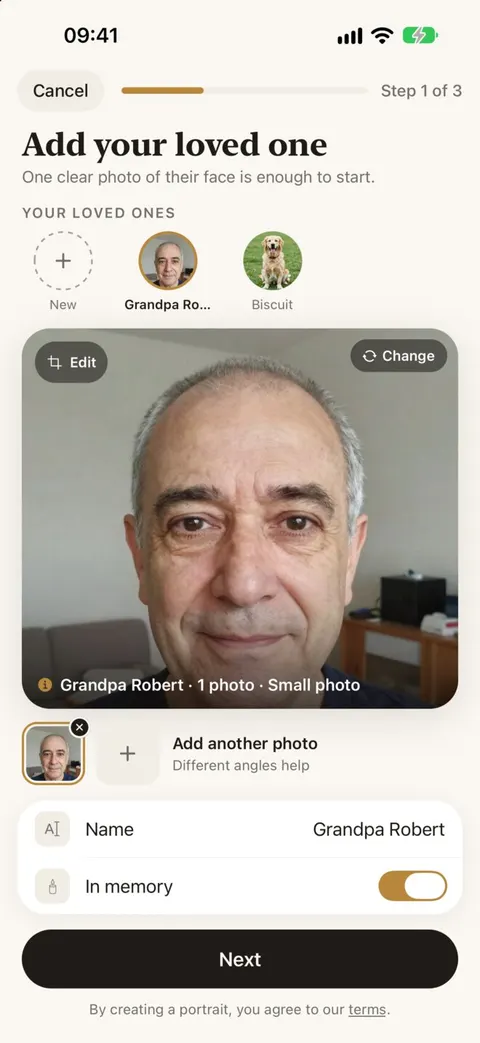
Choose two photos
The photo you want them in, and one to four photos of your loved one. Clear, front-facing photos give the best likeness; an old print scanned on your phone works too.
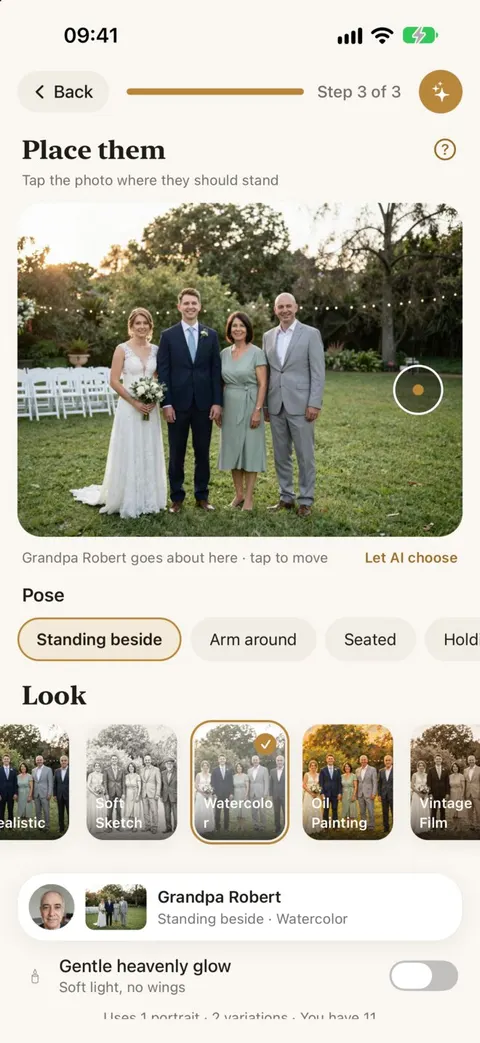
Show where they belong
Tap the spot where they should stand and pick a pose, like standing beside or arm around. Or let Reunily find the natural place in the group.
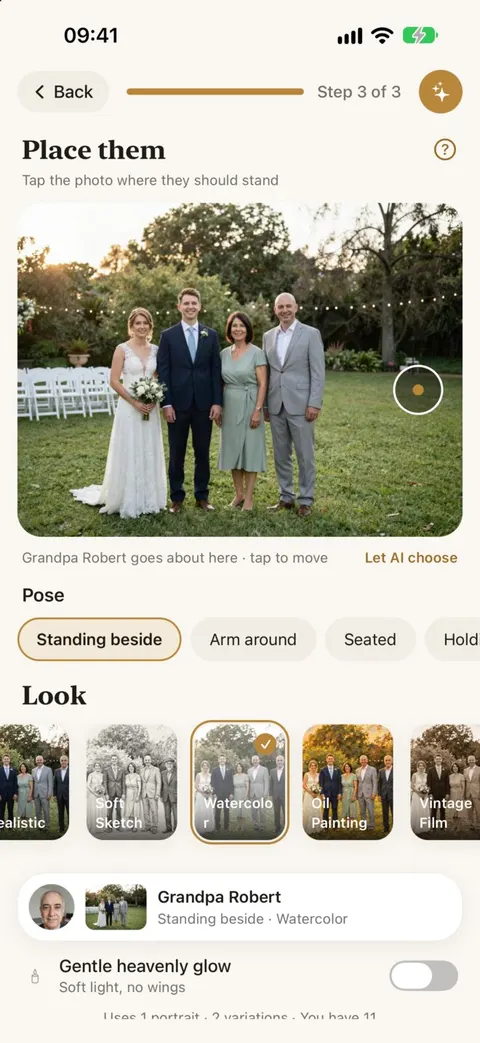
Pick a look, keep your favorite
Keep it real, or choose a painted or vintage look. You get two versions, usually within a minute or two, and you can close the app while it works.
Looks
Real, or a little painterly
One wedding photo, six different results. Real is right for most photos; the artistic looks suit memorial prints and cards.
Realistic
Matched light, scale, grain and shadows, so it reads as one photograph.
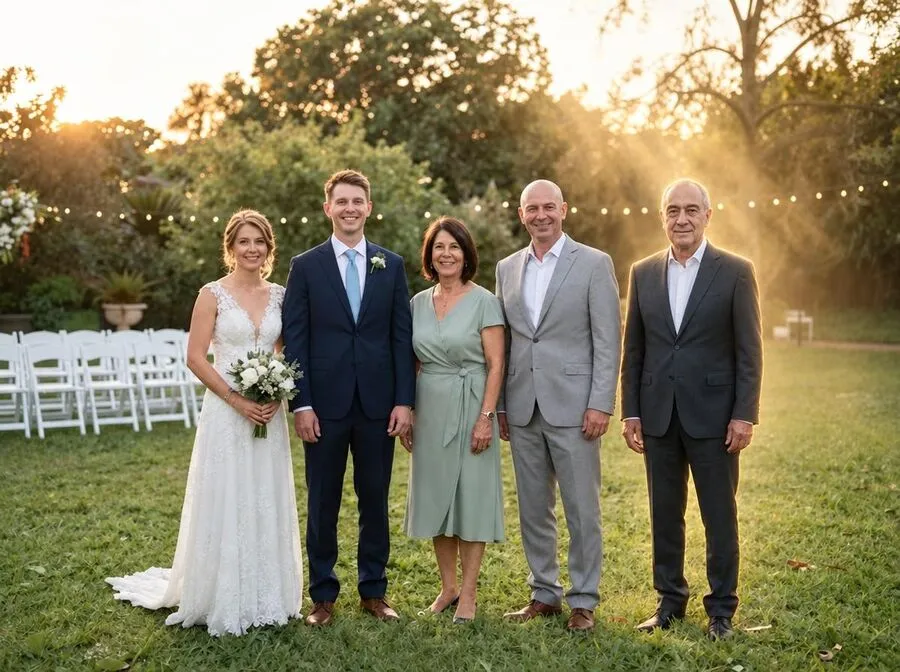
Heavenly Light
A soft warm glow and light rays behind them. No wings, no halo, never see-through.

Oil Painting
Thick brush strokes and a warm palette. Every face stays recognizable.
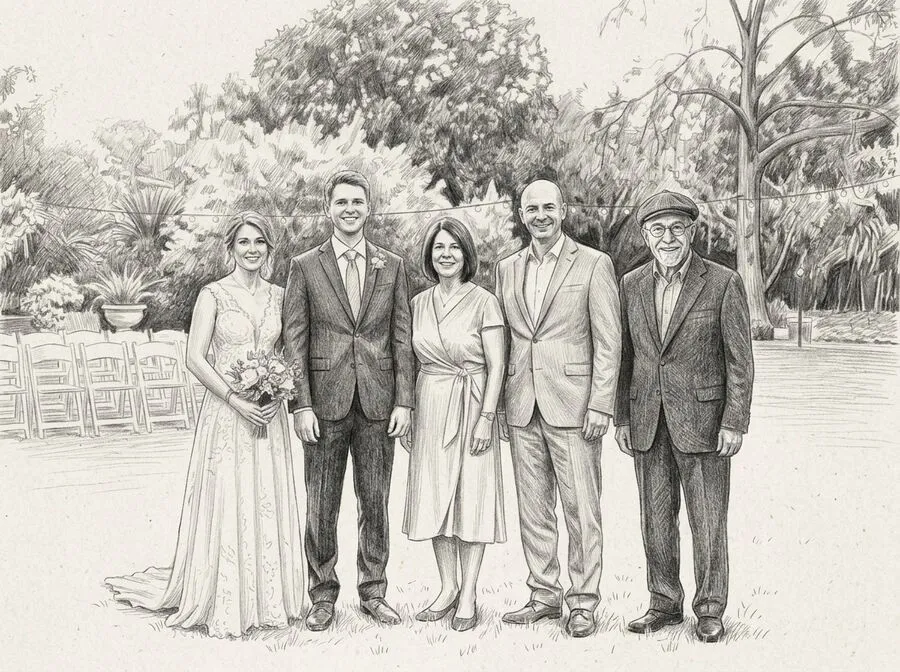
Soft Sketch
Graphite pencil on off-white paper, for a quiet keepsake.
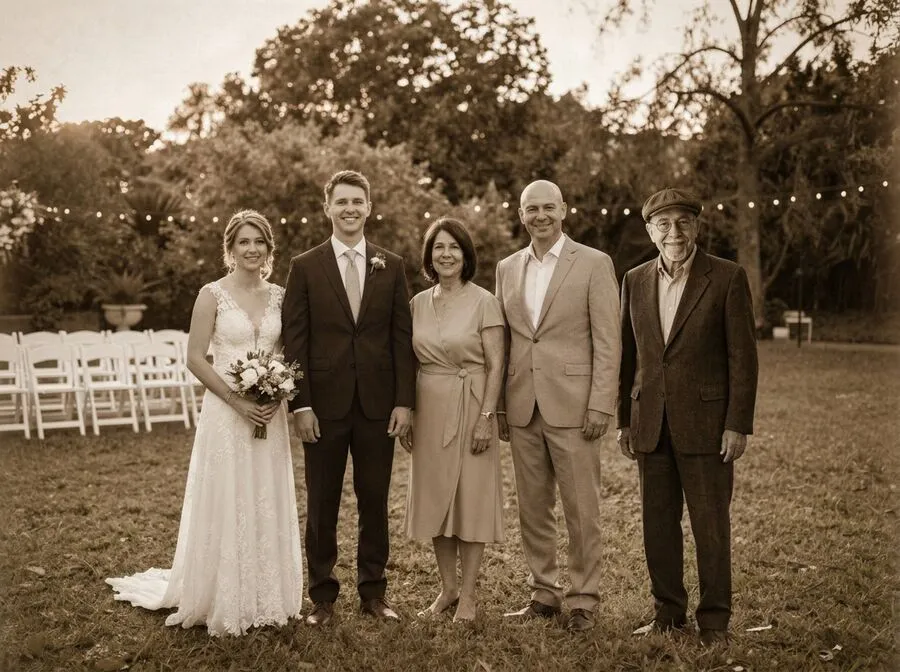
Vintage Film
A warm sepia print that sits naturally in the family album.
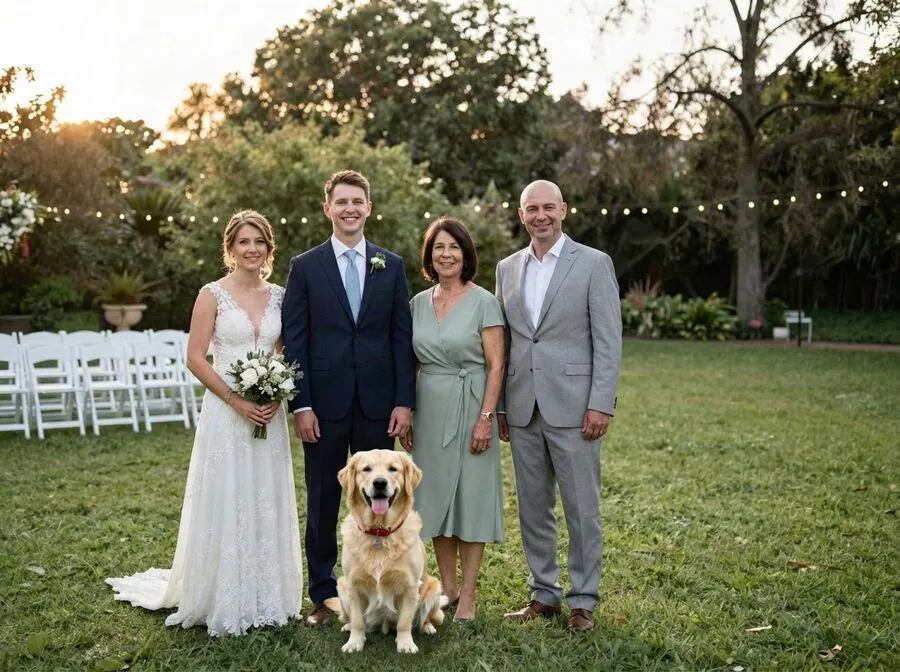
Pets too
The dog or cat who was part of the family, with their own markings.
Occasions
For the moments they should have been part of
Wedding
A parent or grandparent in the wedding photos.
Read moreFamily photo
Everyone in this year’s family picture.
Read moreIn the background
Standing a step behind, part of the moment.
Read moreChristmas
The holiday photo and card, with everyone.
Read moreGraduation
The person who would have been proudest.
Read moreNew baby
A grandparent meeting the newest member.
Read moreMemorial portrait
Sketch, oil painting, sepia or heavenly light.
Read moreGuides and ideas
How-tos, tested prompts and ways to remember them.
Read the guidesPricing
Honest pricing
There’s no free trial and no weekly subscription. Buy credits when you need them, or take the monthly plan if you make a lot of portraits. Every portrait is two versions.
1 credit = 1 portrait with 2 versions.
- If a portrait fails, it’s refunded automatically
- Credits never expire, including unused monthly ones
- Monthly plan: 20 credits for $9.99 a month, cancel any time
Privacy
These are your family’s photos
We treat them that way. Read the privacy policy. It names every company that touches your photos and says how long each keeps them.
Deleted after 30 days
The photos you upload are deleted from our servers after 30 days. Finished portraits stay until you delete them.
Never used to train AI
Your photos are used only to make your portraits. We don’t use them to train AI models, and we don’t sell them.
No account needed
Start without signing up. Sign in with Apple is optional, only to keep your unused credits if you change phones.
Delete it all, any time
Settings › Delete All My Data removes your photos, portraits and history from our servers in one step.
Questions people ask
Is there a free trial?
No. We would rather be clear about it than promise “free” and ask for money later. Credits come in packs, starting at $4.99 for 5. One credit makes one portrait, and every portrait gives you two versions to choose from. You don’t need a subscription. If a portrait fails, the credit goes back to your balance automatically. See pricing.
Will it really look like them?
Likeness is the part we care about most. You can add up to four photos of your loved one, and a clear, front-facing photo helps the most. Each portrait comes in two versions. If the face or the placement is off, tap “Something off?” on the result to ask for one free retry.
Which photos work best?
For the main photo: people clearly visible, ideally with a little room where your loved one can stand. For your loved one: a sharp photo where they look toward the camera and nothing covers the face. Old prints are fine. Photograph them flat in daylight, and Reunily handles older, low-resolution pictures.
What happens to my photos?
Your photos are used only to make your portraits. Uploads are deleted from our servers after 30 days, and finished portraits stay until you delete them. We never use your photos to train AI models. The privacy policy names every company that handles them, and you can delete everything at any time.
Can I add a pet?
Yes. Choose a pet instead of a person, add a photo or two, and Reunily keeps their fur color, markings and collar.
Does it only work for someone who has passed away?
No. Many people use it for someone who has died, but it works the same for anyone who couldn’t be there, like a grandparent who couldn’t travel or a sibling who lives abroad. Please only use photos you have the right to use.
Is Reunily on Android?
Yes. Reunily is now available on Android through Google Play.
Can I print the result?
Yes. Save the portrait to your Photos and print or share it like any other picture. You can also make a simple tribute card with their name and dates inside the app.
Keep them in the picture
Choose a photo, add your loved one, pick a look. Every portrait comes with two versions to choose from.