New baby
A grandparent meeting the new baby
A photo they never got to take: beside you on the sofa the week the baby came home, or standing with the whole family at the first visit.

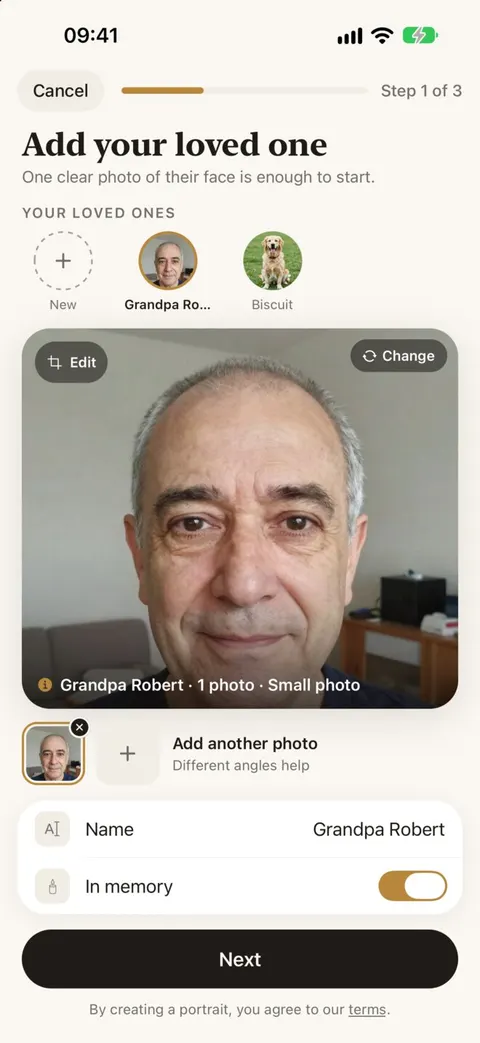
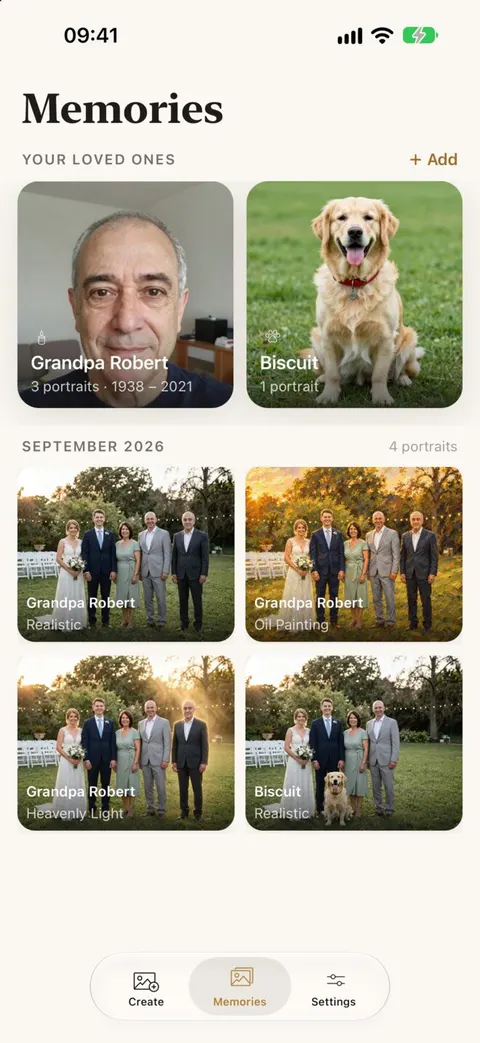
Meeting Grandpa or Grandma
Choose a photo of you, or your partner, holding the baby, sitting or standing with some room beside you. Tap that space and pick Seated or Standing beside. Reunily places your loved one close to you and the baby, at the right size, in the light of your room.
Mark them as In memory when you add them, and their portraits gather in their own album, a quiet place to come back to as the baby grows.
The screens above are design previews of the app with a fictional family.
Newborn photos that work well
- Soft window light, not the harsh overhead light of a hospital room at night.
- The adults’ faces visible, not only the baby.
- Some space on the sofa or beside the bed.
Your baby stays exactly as they are
Reunily is told to change only what is needed to add your loved one, and to keep everyone else, including the baby, as they are in your photo. Look closely at the result anyway. If anything about the baby or anyone else has changed, tap “Something off?” for a free retry.
When the only photo of them is old
The photos we have of grandparents are often decades old: small prints, faded color, a scan from an album. Reunily notices a low-resolution photo and renders the person as a clean, sharp photo that fits your newborn picture, without changing the face.
This example is from a graduation, not a newborn photo. It shows what Reunily does with an old 404 × 520 pixel scan of a grandmother.
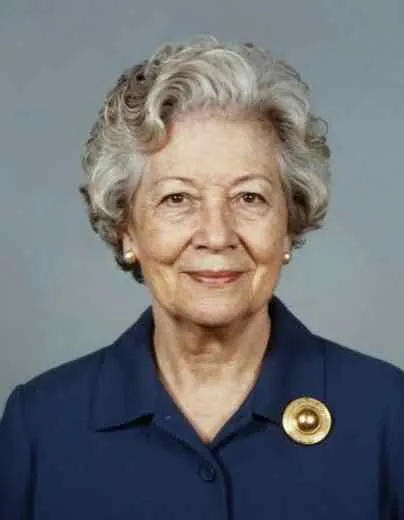
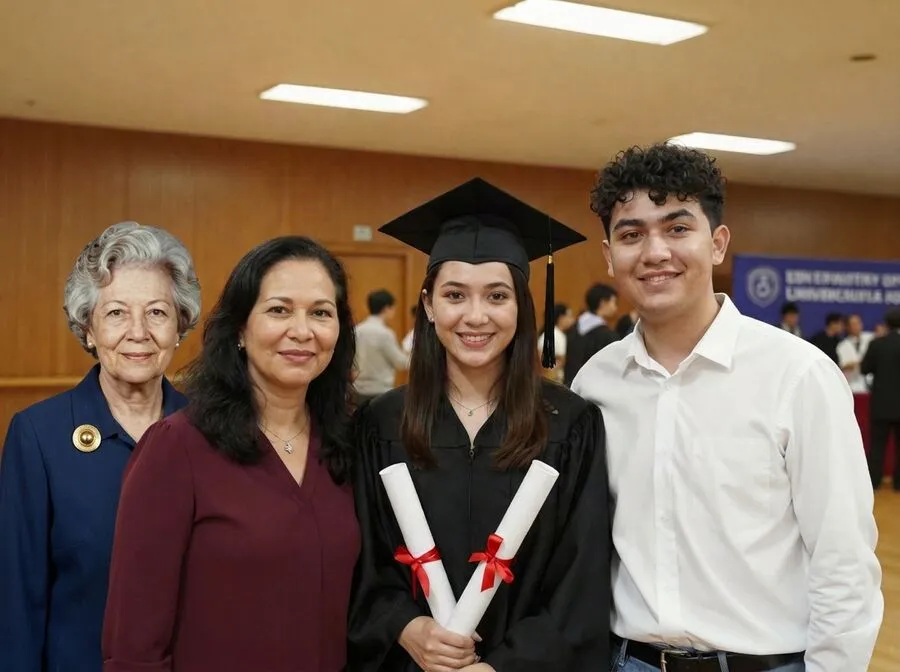
Staged photos of synthetic people.
New baby photo questions
Is it safe to upload photos of my baby?
Your photos are used only to make your portrait. Uploads are deleted from our servers after 30 days, they are never used to train AI models, and you can delete everything at any time with Settings › Delete All My Data. The privacy policy lists every company that handles them.
Can I add both grandparents?
One loved one per portrait. Add the first, save the result, then use it as the photo for the second. Each step uses one credit.
Can Grandpa be holding the baby?
Reunily adds your loved one beside the people in your photo, standing, seated, holding hands or with an arm around someone. It does not move the baby into new arms, because that would mean changing the people already in your photo. A photo of you holding the baby on the sofa, with Grandpa seated beside you, comes close.
Can I print it for the nursery?
Yes. Save it to Photos and print it like any other picture. The Soft Sketch and Vintage Film looks are popular for framing.
A first photo together
Choose a photo, add your loved one, pick a look. Every portrait comes with two versions to choose from.