Wedding
Add a loved one to your wedding photo
A parent, a grandparent or a friend who should have been standing with you. Reunily adds them to your wedding photos in the same light and at the same scale as everyone else.

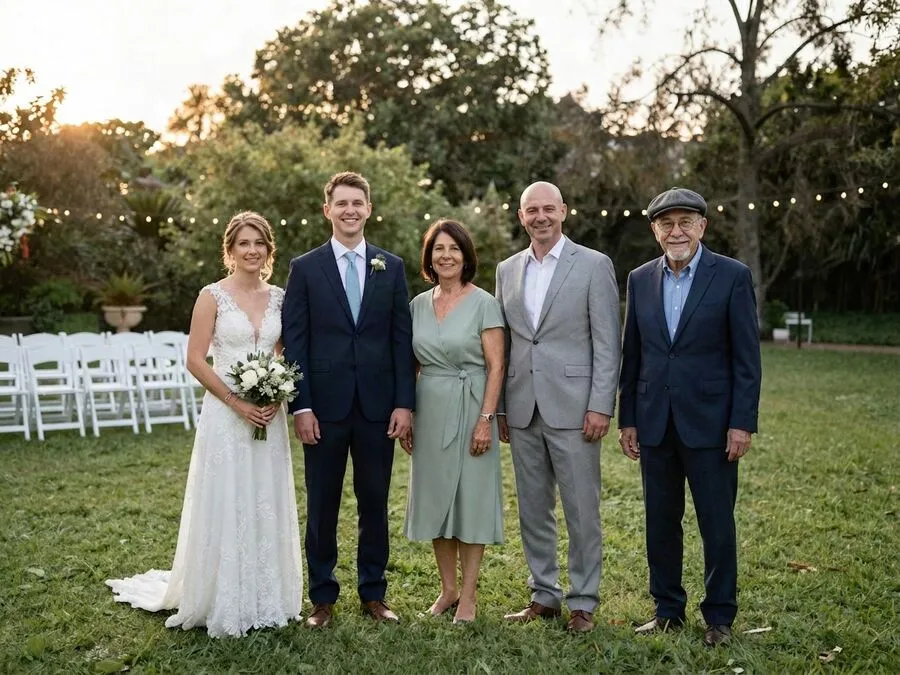
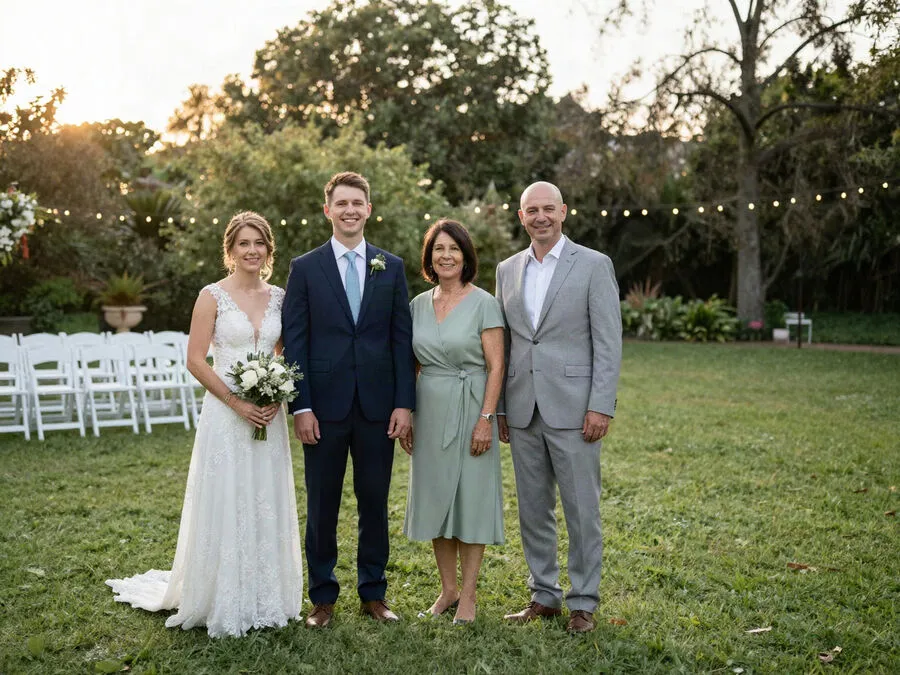

Which wedding photos work best
The formal family group is the photo people ask about most, and it is also the easiest one to get right. Everyone stands on the same level, faces the camera and leaves natural gaps at the ends of the row. That gap is where your loved one goes.
- Family groups and wedding-party lines. Full length is fine. Reunily matches feet, shadows and the grass or floor they stand on.
- Couple portraits. Waist-up or full-length photos with a little space at one side.
- Getting-ready and quiet moments. A parent beside the bride at the window, or with the groom before the ceremony.
- Harder: dance-floor shots with motion blur, very tight crowds, and photos where nobody faces the camera.
For your loved one, a sharp photo where they look toward the camera does most of the work. Add up to three more photos from other angles for a better likeness.
Adding Dad to your wedding photo
The place beside the bride or groom in the family group is the one most people picture. In Reunily, tap the space next to you and choose Standing beside or Arm around. If you would rather not decide, leave Let AI choose the spot on. Reunily looks at the group and picks the natural place.
If the only good photo of him is from years ago, use it anyway. Reunily keeps his face as it is in the photo you choose, so pick the age you want to remember.
Including Mom
Many brides and grooms want their mother in the photo with their new spouse. A realistic portrait suits the album. For the reception, some couples choose a softer version to frame on the memory table: the Heavenly Light look adds a warm glow around her, with no wings, no halo and nothing see-through.
Grandparents at the wedding
Grandparents often come with the oldest photos: small prints, faded color, a scan from an album. That is fine. Photograph the print flat in daylight with your phone, and Reunily renders them as a clean, sharp photo that matches the rest of the picture. The Vintage Film look turns the whole photo into a warm sepia print, which can look lovely next to the old family photos on a display table.
One wedding photo, three ways
The same group with the same man added: as a photograph, in heavenly light and as an oil painting. You choose the look before you create the portrait.

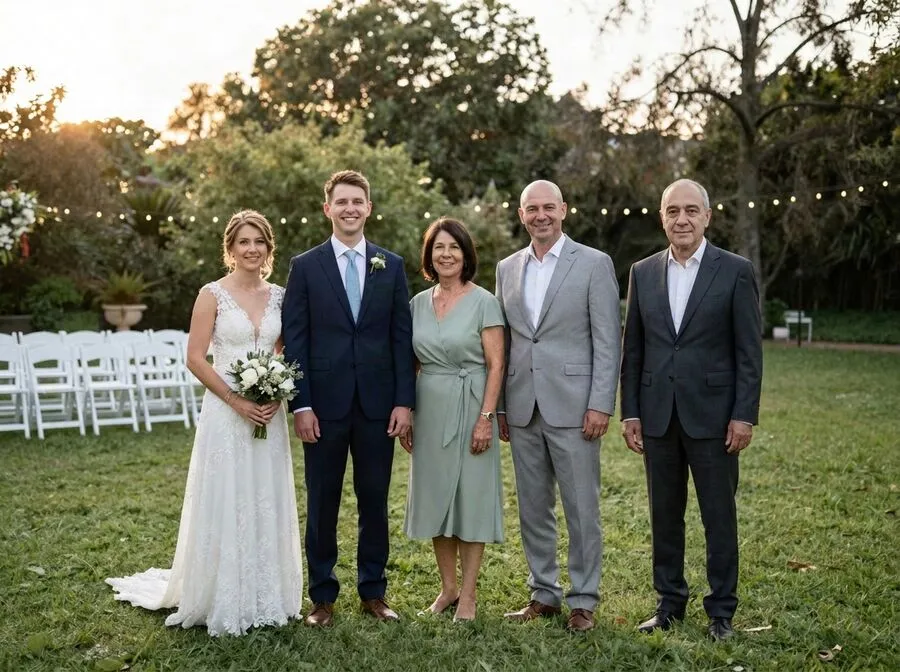
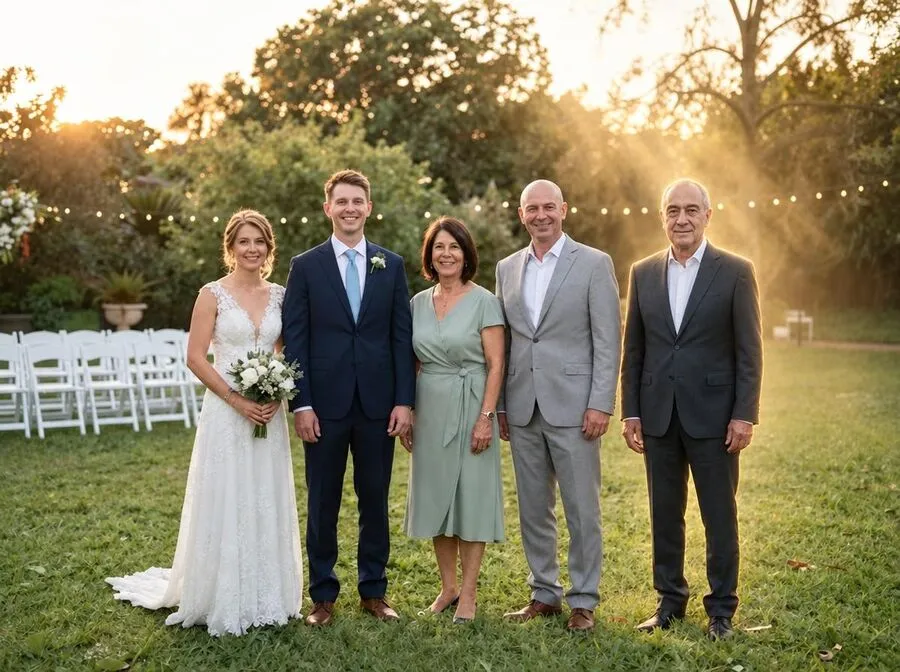
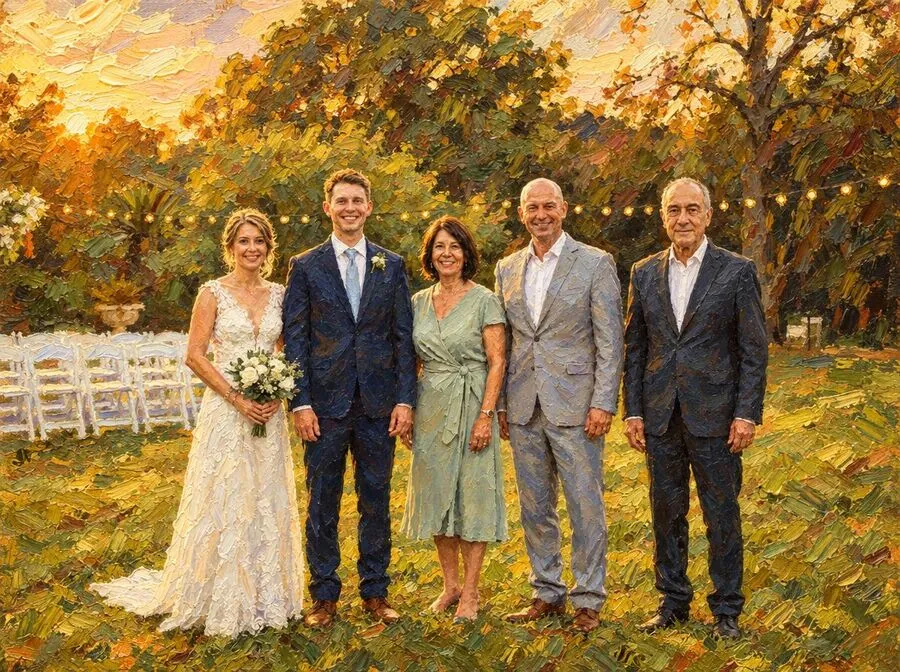
All examples use staged photos of synthetic people. Results vary with your photos; every portrait gives you two versions to choose from.
Where couples use it
- A framed print on the memory table or beside an empty chair at the ceremony.
- The family page of the wedding album.
- Thank-you cards to the family, or a private print for a parent.
For more ideas that don’t involve a photo at all, read ways to honor a loved one at your wedding.
Wedding photo questions
Can I add them to our couple portrait, not only the group photo?
Yes. A couple portrait with one parent beside you can be very moving. Pick one where you stand on even ground with some space at one side, tap that space, and choose Standing beside or Arm around. Close-up portraits leave less room, so a waist-up or full-length photo usually works better.
Can I add both of my parents, or two grandparents?
One loved one per portrait. To add two people, add the first, save the result, then use that photo as the starting point for the second. Each step uses one credit.
Our photographer took the pictures. Can we edit them?
Most wedding contracts let couples make personal copies and edits, but the photographer often keeps the copyright. For personal prints and sharing with family, this is rarely a problem. If you plan to publish the photo or use it commercially, check your contract or ask. Only upload photos you have the right to use.
What if they are wearing something casual in the only good photo?
That is common. In the example on this page, the photo of the man shows him in a sweater, and he appears in a dark suit that fits the formal group. What matters most is a clear view of the face.
Should I ask the family before sharing it?
It helps. Families grieve in different ways, and a photo like this can surprise people. Many couples show it to parents or siblings first, then decide together whether it goes in the album, on the memory table or in the thank-you cards.
Save a place for them in the photo
Choose a photo, add your loved one, pick a look. Every portrait comes with two versions to choose from.